
Any type of video or audio converter app can be so useful at times. Especially when you deal with too many video files but with limited support of video format on your favorite device. That’s where an application like Any Video Converter shows its worth with shining colors!
Table of Contents
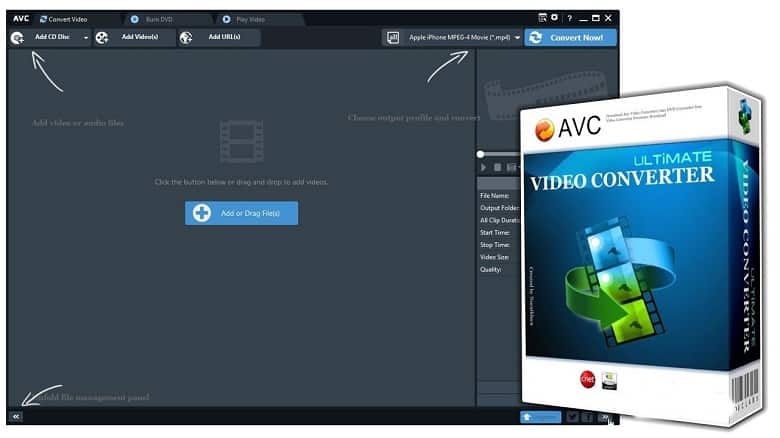
Any Video Converter is a free-to-use converter application that can convert any video file into a different video format. It even has support for audio files as well. However, the feature list does not stop at that. Let’s check out the full potential of this brilliant application.
Features of Any Video Converter
Here are all the exciting features of this app should know-
Efficient Video Conversion & Editing
A very obvious yet neglected notion about video conversion is the efficiency of video conversions. Well, if your video converter takes an eternity to convert your video files then what’s the point? That’s why Any Video Converter offers the latest HEVC or H.265 codec that is both efficient and time-saving. On top of that, the video files are very small in size so that your hard disk doesn’t get buried in large video files!
Convert Anything
Do you want to convert the videos for your iPad? Or your Windows handheld device? Whatever the device is, ANV has support for almost anything you can ask for. Some of the supported file formats are MP4, MPEG, VOB, WMV, H264, H265, 3GP, 3G2, MKV, MOD, M2TS, RMVB, AVI, MOV, FLV, F4V, DVR-MS, TOD, DV, MXF, OGG, WEBM, any 4K video format and more.
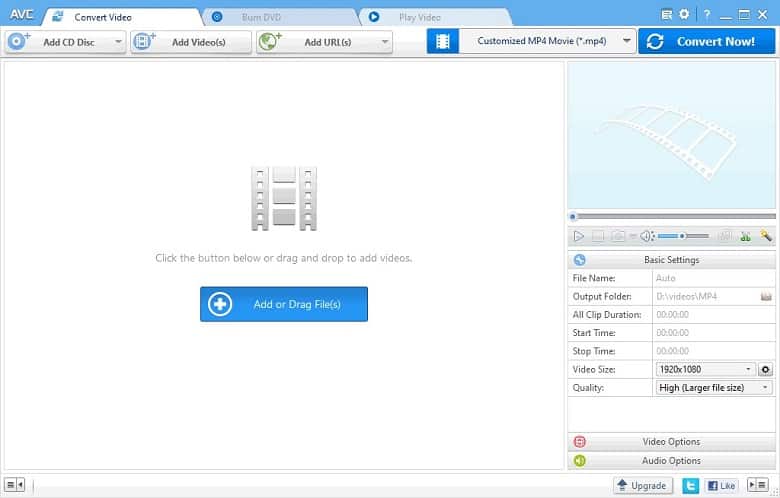
You can even convert your music files in these formats: MP3, AC3, OGG, AAC, WMA, M4A, WAV, APE, MKA, AU, M4B, AIFF, FLAC, DTS, and more.
Disc Burner
I know the CD and DVDs are just a piece of history now but you might want to convert them for your Blu-ray player or DVD player on some occasions. For that purpose, Any Video Converter offers video burn-in to DVDs so that you can utilize your DVD player on any TV or monitor!
System Requirements
- Supported OS: Windows 7 to latest 11 (both 32-bit and 64-bit systems)
- Processor: 1GHz Intel/AMD processor or above
- RAM: 512MB or more is ideal
- HDD Space: 70MB while installing
Difference Between Any Video Converter & Ultimate Version
While you might think that Any Video Converter Free is good for you, the ultimate version offers better features at an affordable price. Here are all the differences between these two offerings-
| Features | Any Video Converter Free | Any Video Converter Ultimate |
| Convert between Video and Audio Formats | Yes | Yes |
| Edit & Personalize Video Files | Yes | Yes |
| Burn Video to DVD | Yes | Yes |
| Built-in Video Player | Yes | Yes |
| Free DVD Menu Templates | No | Yes |
| Record & Capture Video | No | Yes |
| DVD Disc/Folder/ISO Image Converting | No | Yes |
| Price | Free | $49.95 |
FAQs About Any Video Converter
Can Anvsoft software work on Windows 10?
Yes, every version of Any Video Converter is fully compatible with Windows 10. Even the latest Windows 11 also has stable support for ANV software.
Does Any Video Converter Offer Free Updates?
Yes, both the free and paid versions offer unlimited support on all devices and platforms. So, you don’t have to worry about update issues with ANV.
Is it Good?
Yes, Any Video Converter is one of the best video converters that you can use for free. However, the premium version has a bit more flexibility and customizability.
Conclusion
So, are you already planning to get your hands on the Any Video Converter? If that’s the case, let me tell you about some secret tricks to make your experience with this tool more seamless.
After you download and install the application, make your custom preset on the application. That way, you won’t have to find a suitable video format every time! Now, have fun converting whatever you want with Any Video Converter!
 Magic Video Converter