
If you ever thought of brainstorming new and brilliant ideas but lacked the resources to execute them, then this is your time to shine! With AirMore Mind, you can now easily create online mind maps and brainstorm cool ideas to bring your ideas to life!
Table of Contents
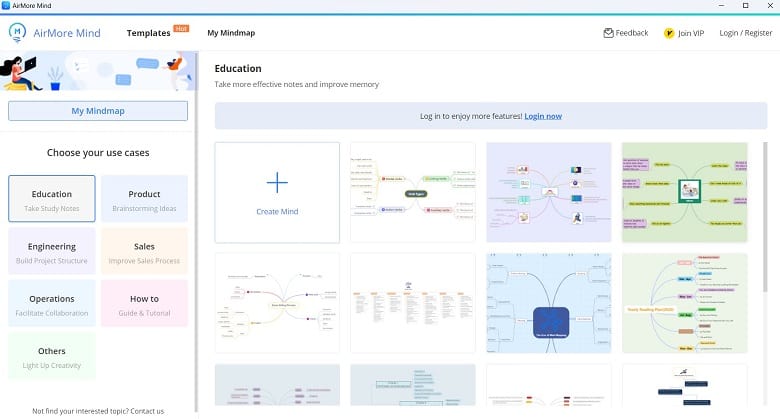
AirMore Mind is a cross-platform mind mapping and brainstorming tool that can be used to increase your productivity. It offers tons of templates that you can use to take inspiration and give life to your bright ideas and imaginations! Choose any of your favorite templates and start mapping your whole schedule.
Features of AirMore Mind
Here are all the exciting things that AirMore Mind has to offer to its users-
Work Seamlessly
Whether it’s just you or your team, you can all collaborate and share your mindmaps to increase your efficiency and productivity. Not only that but you can also capture, manage and share your thoughts with each other on the fly. How cool is that, right?! And the best part is that your changes and updates will be visible to all devices and all profiles that are connected to the mindmaps.
Customize All You Want
Once you get into the main interface of AirMore Mind, you’ll be amazed to see all the customizable options. From changing the map design to adjusting lines and borders, you can literally change each and every aspect of your mindmap in a jiffy!
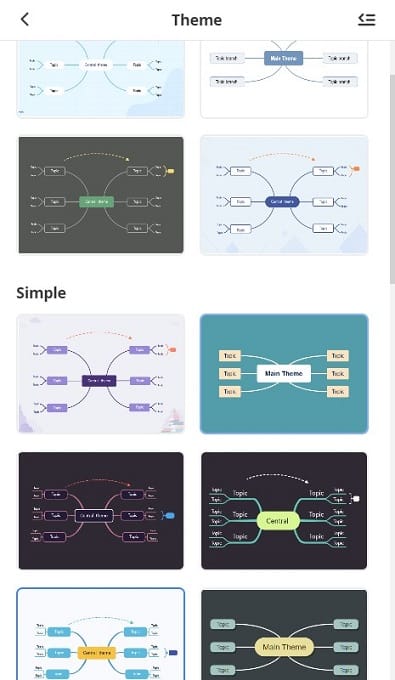
Even after you’re done with all the mapping and brainstorming, just click on the rearranged map layout to change the whole map in seconds. So, if you want full customization with your mind mapping, this app is the way to go!
Templates Unlimited
Themes and templates are just some basic features available on the AirMore Mind that can exponentially change how you work with your thoughts! You can literally browse through hundreds of different templates and themes that will suit your taste. Then, start mapping with its easy-to-understand and fun navigation system to figure out how to make your ideas pop! With the help of these templates, your mindmap will be created in no time with very little effort!
Export & Share
It’s always a good thing when you get flexible file compatibility with your applications. If you’re pondering whether AirMore Mind supports different file formats then stop thinking altogether. Why? Because using this app, maps can be exported and converted to tons of file formats including PDF, TXT, PNG, and others. So, no worries about sharing your files with others!
FAQs About AirMore Mind
Is AirMore Mind Available for Windows?
Yes, AirMore Mind is available for almost all versions of Windows OS. It’s also available on Chrome OS as well.
Is it free?
Yes, it is completely free and legal to download on your Windows PC. Get the latest version of AirMore Mind from here.
Conclusion
To conclude everything, it’s no wonder that a brainstorming application like this software can be a game changer for many. Whether you’re a student, teacher, or professional, mind mapping can help you to organize your whole schedule with tons of tools and functions.
So, try out AirMore Mind and see the difference yourself!
 KeePass
 TunePat Music One
 Private Internet Access
 1st Mass Mailer
 Ammyy Admin
 Frim Chat for PC