
WinRAR is a strong Windows tool that helps you compress, archive, and decompress RAR, zip, and other different formats.
Table of Contents
With this excellent archive manager, you can consistently create smaller archives. It will save your data transmission costs, disc space, and also your valuable time. In the case of compression, it is ahead of the other compressing tools.
Awesome Compression
Automatically identify and select the best method for compressing your multimedia files with this awesome tool. Its algorithm for special compression compresses these files, object libraries, and executable files extremely well.
Support for Different Compression Format
This app supports different compression formats such as ACE, ARJ, CAB, RAR, ZIP, GZip, BZIP2, ISO, LZH, TAR, UUE, 7-Zip, and Z.
Extraction Speed
The extraction speed is excellent. Drag and drop your archive on a folder by pressing on right-click, and this tool will prompt you with an extraction menu.
Ideal for Sending Data
If you want to send data as email attachments, this software is ideal to reduce your email attachments’ size.
Data Security
Its password encryption and validated signature technology offer you the utmost data security.
User Experience
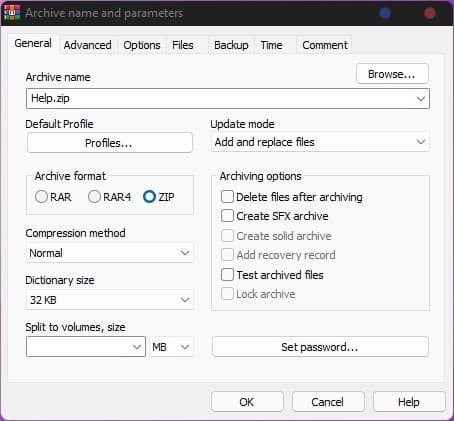
The software comes with different features and an intuitive interface. Create various profiles with various settings, select from various compression techniques, split the archive into different parts depending on its size, generate SFX self-extracting archives and test your archived files whether there is an error.
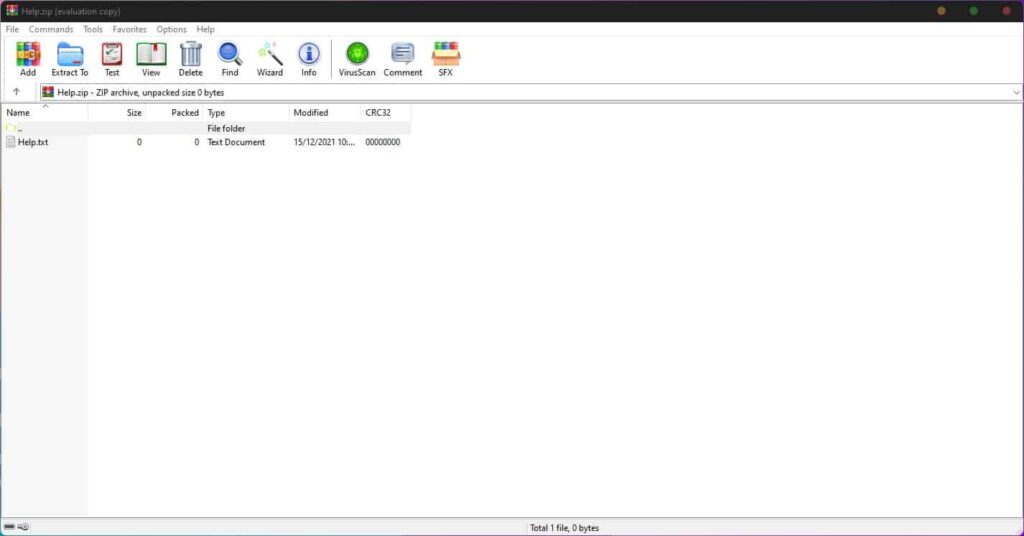
Set your PC to shut down after the archive has been completed which is helpful for large archives. See your archive’s properties such as size, file numbers, packed size, and compression ratio.
Wizard Mode
This mode offers thorough instructions that help beginners to create and extract archives.
Compatibility
It’s compatible with Windows, Android (64-bit), and Mac OS (64-bit).
Price
- 40 days free trial version.
- WinRAR (electronic delivery) for $29.
- Maintenance version (electronic delivery) for $4.35.
- On CD (physical delivery) for $10.
Most FAQ‘s about WinRAR
What is a RAR File?
A RAR file is a data container or compressed file that you can create with WinRAR. It can contain one to multiple files and folders and is capable of creating, opening, and encrypting ZIP and RAR files.
What is the difference between RAR and ZIP?
Generally, RAR archives give better compression, specifically in the solid form. They allow additional functions like self-extracting archives. RAR archives also have some important features that ZIP archives don’t have, like the recovery record that reconstructs damaged data and locks vital archives to protect against accidental modification.
What is the Maximum limit for Archive and File Size for RAR?
RAR formats can manage files of unlimited size around up to 8,589,934,591 GB. Generally, RAR archives are ideal for heavy functions with huge file numbers and gigabytes of your disc space.
How do I Install and Register WinRAR?
First, you need to purchase this software license from the official online shop. Upon payment of the license fee for registration, you will get an email with an attachment having the file of the registration key. Generally, this file is named rarreg.rar. This email has all the required instructions for registration and installation.
Conclusion
WinRAR is an outstanding tool for compressing, archiving, and extracting different file formats with multiple interesting features and pros.
 PeaZip
 AOMEI Backupper
 CBackup