
Google has always been making the best apps for users to get an impressive experience of their surroundings. And Google Earth Pro adds more value to that whole ecosystem.
Table of Contents
As a 3D environment mapping and satellite-based augmentation application, Google Earth Pro is able to show you the whole architecture of your locality with pinpoint accuracy.
However, is it enough for you to install and use this application on your Windows PC? Let’s find out!
Features of Google Earth Pro
Here are all the incredible features of Google Earth Pro so that you can understand more about this groundbreaking software-
Accurate and Advanced Measurements
Apart from just observing your surroundings, you can accurately measure and estimate the measurements of your house, parking lots, roads, and many more!
On top of that, the polygon area measure helps you to determine the land developments. You can even assess the affected area in the vicinity by using the radius circular measure.
High Definition Printing
Did you think you can just see the 3D buildings or areas on Google Earth Pro? Obviously not! Because the application offers real-time printing of any area with advanced functionalities so that you can use the data to fulfill your research purpose.
Go Back in Time
Sounds funny right? However, it’s not a pipe dream anymore with Google Earth Pro. You can go to a certain period and observe an estimated augmentation of that location in full detail.
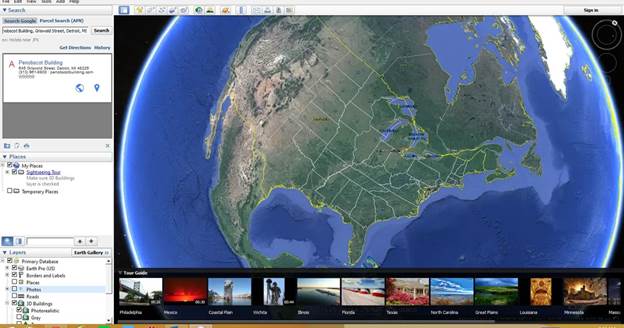
While the visuals won’t be as accurate as the real-time satellite imaging, it’s still more than enough to satisfy a curious mind.
GIS Sharing
A geographical information system or GIS is a computer system that lets you manage, create, and share different information regarding geolocation. With Google Earth Pro you can now import or export the GIS without any restrictions.
FAQ’s on Google Earth Pro
Is Google Earth Pro free?
Yes, Google Earth Pro is completely free to use now. Until 2015, it was a paid application. However, it was later made free for the public.
Is Google Earth Pro still available?
Yes, Google Earth Pro is widely available for everyone to use. You can enjoy all the premium features without paying anything.
How do I install Google Earth Pro?
You can install Google Earth Pro by clicking the installation file downloaded from here. After agreeing to the terms and conditions, you can install and use the application without any complications.
Final Verdict
I think you’ve already made a decision about whether to use the application or not. Because there are very few reasons to not try out this 3D mapping software once in your life. I can confidently state that you’ll get hooked on the awesomeness from the beginning.
So, try Google Earth Pro from here now!
Screenshots
 Cheat Engine
 Lively Wallpaper
 Community Script Hook V NET
 GoPro Quik
 Rainmeter