
Auslogics Anti-Malware is a security software that helps protect your computer from various forms of malware, including viruses, spyware, adware, etc. It scans your system to identify any threats and provides an option to remove them.
Table of Contents

The software also offers real-time protection, regular updates, and automatic scans to ensure overall security. However, there is a lot more to know about this tool than you can guess. So, let’s dive into the details.
Features of Auslogics Anti-Malware
Unlike other anti-malware tools, Auslogics is not meant to compete against your main antivirus. Its sole design is to enhance the performance and security of your PC by complementing the anti-virus. Learn more features like these below-
3 Scan Plans
There are a total of 3 different scan functions available on the tool. The first one is Quick scan, which analyzes the primary areas of your PC to identify any malware or spyware.
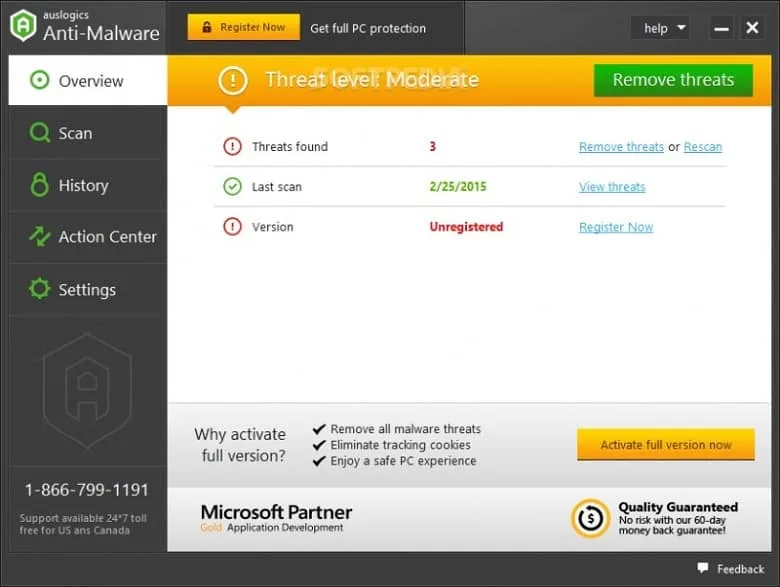
The second one is the Deep scan, which scans your entire system for any suspicious entity available on your PC.
Last but not least, a Custom scan is for more specific scanning so that you can save time while making your PC secure.
User-Friendly Interface
The tool is ready to use for any Windows device. All you need to do is to install and start scanning your files without any worries. Moreover, real-time threat detection is a major plus point when you forget to scan your PC manually.
Customized Schedules
Not only the customized scan but you can even set the timer to let the scans run whenever you want. Additionally, the scheduling can be changed anytime to match your convenience.
Regular Updates
Malware, spyware, or any virus adapts and mutates with more threatening compositions. So, the tools that prevent and eliminate them, should too. That’s why Auslogics Anti-Malware is updated frequently with better security protocols and bug fixes. So, your Windows PC can stay malware-free in all circumstances.
Compatibility
This tool is perfectly compatible with every antivirus software out there. Because of that, you don’t have to face any complications if both apps run in the background. Just focus on scanning your computer and let loose!
FAQs About Auslogics Anti-Malware
Is Auslogics malware?
No, Auslogics Anti-malware is not any malware or virus but it is a software tool designed to detect and remove malware, and spyware.
Does Auslogics Anti-Malware offer real-time protection?
Yes, Auslogics Anti-Malware offers real-time protection, which helps to prevent malware from infecting your system in the first place.
Does Auslogics Anti-Malware provide regular updates?
Yes, Auslogics Anti-Malware provides regular updates to its threat database. The updates ensure that your system stays protected against the latest security threats.
Conclusion
Auslogics Anti-Malware is a software tool designed to detect and remove malware, spyware, and other malicious software from a computer system. It offers features such as threat detection, real-time protection, regular updates, and custom scanning options.
However, it may use a significant amount of system resources and may have potential false positive detections. Ultimately, whether Auslogics Anti-Malware is the right software for you will depend on your individual needs and requirements for computer security.
 AVG Free Antivirus
 TotalAV
 Panda Free Antivirus
 Norton Antivirus