
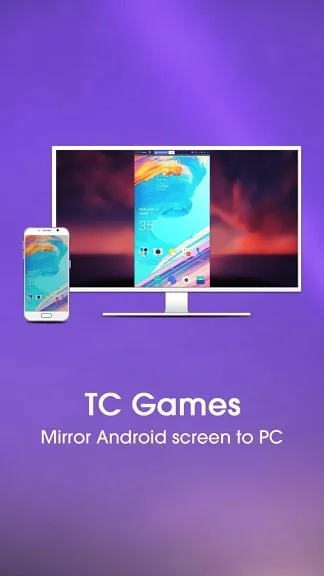
If you are fed up with your small android screen and looking for a good emulator to mirror it on the PC and play, then TC games are the right choice for you. This software is developed by Sigma Resources &. You can play all the high-end games on your android device with PC tools and keyboard commands if you use this tool software.
Table of Contents
High Res Mirroring
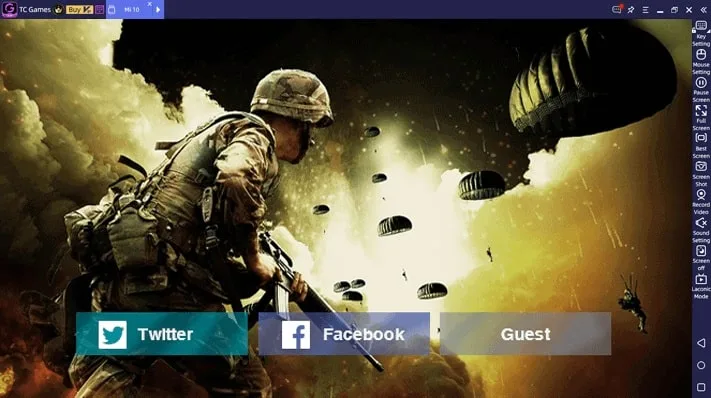
You can mirror a high-resolution android screen with this software. Up to 1080p resolution is supported. Frame rate till 90 fps is also supported. As a result, you can have a better taste of what you are playing.
Total Control
For gamers, it is deadly if you do not have total control over your games. To get better control over your games, you need good control over the keyboard and mouse on the PC. TC games not only let you play games mirroring your android phone, but you can also have total control with customizable keys and mouse settings.
Screen Record
Screen recording is possible with this simple software. As a result, you can save the best moments of your game with your PC for further analysis. We know it is very important for pros.
Faster than emulators
TC games are certainly faster than other emulators. Your download and install experiences will lead you to believe it. While other emulators take a certain RAM part to even run themselves, TC Games do not take that much space or speed blocking. It will not take 5 GB space or 50% usage on your CPU. For TC games, CPU usage is 5% or lower when you need 1 GB of free space only.
USB/Wifi connection
You can use USB or Wifi to connect your PC to the android phone with this simple so it gives you better freedom while playing.
Good Compatibility
As it does not require high configuration and running requirements, the TC games application can be run and worked with most PCs. You can run it on your Windows as well as on Mac.
Reverse Control
You can have good control of your phone from the PC with this software. You can use the mouse as well as the keyboard to control your phone from the PC.
System Configuration for TC Games
You will need the following minimum configuration to run this app on your PC:
- Windows: 7,8, 10, or Higher
- Empty Space: A minimum 1 GB of empty space is required
- RAM: Minimum 1 GB or More
- Processor: Minimum 3 GHz, whether it is intel or AMD
- Graphics Card: Intel HD Graphics card or required, or any equivalent for AMD.
FAQ’s on TC Games
What is TC game?
TC games is a small tool software app that can mirror your android screen on your PC and let you play games with keyboard and mouse control. You can also record your screen with it.
How do you fix TC games not connecting?
You should restart your PC and run the TC games software before connecting your android device to the PC. If the connection still does not work, check settings>USB debug if it is on or not. Make it on and try again.
How do you keymap in TC games?
Go to the key mapping settings. Drag – Macro Key and “Edit”. When you do this, a screen will pop up for editing the panel. From here, you can customize the keys according to your choice.
How do you connect to TC games?
You can connect to TC games via USB or Wifi. You need the app on your phone as well as on your PC. After running it on your PC and starting USB debugging on your phone’s settings, you can connect it to your PC via USB or Wifi.
Our Uses
The app is very promising and we were able to run high-end multiplayer games like PUBG and FreeFire with this game. Connecting it first with the PC is a bit tricky but after connecting we were able to launch it quite easily. Screen resolution is more than perfect and unlike other emulators, it does not require that much speed. VIP privilege is required at some points. The free version can increase some facilities. Besides, you can use it for other purposes like recording for a tutorial or something like that.
 FoneTool Unlocker
 7-Zip
 HWmonitor
 AMD Ryzen Master
 Extreme Injector
 Bandicam Screen Recorder