
MuConvert has a plethora of unique applications that totally changes the game of audio conversion. However, even among other competitive alternatives, MuConvert Audible Converter stands tall without much issue.
Table of Contents
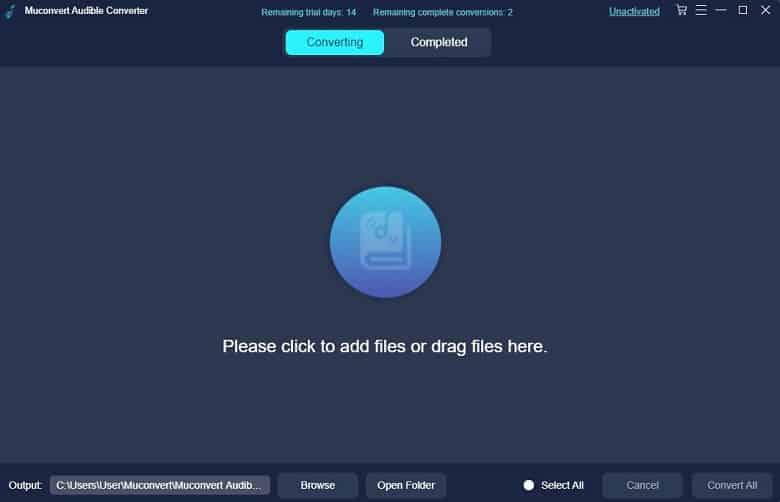
MuConvert is an all-inclusive Audible Converter that can convert AA and AAX books losslessly to MP3. That seamless AA and AAX book conversion lets you be free with the audio files and provides an all-around experience.
But is this tool only good for Audible file conversion? Or does it offer something more than that? That’s what we’re going to find out today!
Detailed Feature List of MuConvert Audible Converter
Let’s look at the full features of this software to get the proper idea about this application–
Tons of Audio Formats
Other than letting you enjoy all the audiobooks offline, the application can also make it available in multiple formats. Usually, the typical AA/AAX audiobook files are hard to convert into traditional formats such as MP3, M4A, FLAC, and WAV. However, you can easily convert it into all these formats without a hiccup on MuConvert Audible Converter.
Customization Unfiltered
While the multiple audio format support might be great, it’s not the end of the features. You can customize your audio format as you see fit. Change the sample rate, bit rate, codec, channel, and other parameters easily.

So, just convert and check whether you have the perfect audio file. Even if you don’t have it yet, it’s just a matter of time before you nail the audio customization!
Downloads Enhanced
Similar to other MuConvert applications, MuConvert Audible Converter also has the proprietary Acceleration Tech. The main purpose of Acceleration tech is to enable higher download and conversion speeds for your audio files. With this software, you can achieve almost 60x faster speed than your traditional converter while maintaining the perfect audio quality from the original audiobook.
ID3 & Chapter Info Preserved
Tired of losing all the metadata once you converted your audiobook into a different format? Well, with MuConvert Audible Converter you never have to face that trouble again. Because it can preserve all the ID3 metadata and chapter info without any issues. That way, you can easily organize and make your audiobook library more rich and classy!
System Requirements of MuConvert Audible Converter
- Operating Systems: 64-bit Windows 7 or above versions
- Processor: 1GHz Intel/AMD processor or above
- RAM: 512MB or higher
How to Use MuConvert Audible Converter
Follow this easy step-by-step process to know the details about how to use it-
Step 1: Select the audiobooks that you want to convert into other audio formats.
Step 2: Choose your preferred audio format from the list.
Step 3: Customize or edit the metadata and tags of your audiobook files.
Step 4: Start the conversion process and once it’s done, click “Finished” and you’re good to go!
FAQs About MuConvert Audible Converter
Does the free MuConvert Audible Converter have any limitations?
You can only convert to full audible book files completely with the trial version. After 15 days of usage, you have to buy the full license if you want to use the application.
Does MuConvert Audible Converter require Audible authentication?
No, you don’t need to connect to your Audible account to use MuConvert Audible Converter. You can just browse your current AA or AAX files and convert them to other audio formats.
How fast is MuConvert Audible Converter?
Compared to other alternatives, the MuConvert Audible Converter is 60 times faster in converting audiobooks. You can convert 6 hours of audiobooks in a few minutes.
Conclusion
Long story short, if you read a lot of audiobooks in your spare time, then MuConvert Audible Converter is surely a game-changer. Once you get used to reading your Audible books offline, there’s no going back at all!
So, get the taste of freedom with MuConvert Audible Converter and enjoy a fresh new take on how to read audiobooks!
 MuConvert Spotify Music Converter
 MuConvert Apple Music Converter