
ScpToolkit is an open-source Windows driver to control your DualShock controllers on PC. It is a product of Nefarius Software Solutions. The driver also works as an XInput wrapper. Sony Dualshock controllers or ds3/ds4 are perfectly compatible with this software.
Table of Contents
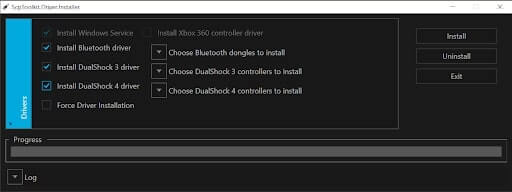
The app has a very simple interface to install all the necessary drivers. It also offers the function to install Bluetooth and Xbox drivers.
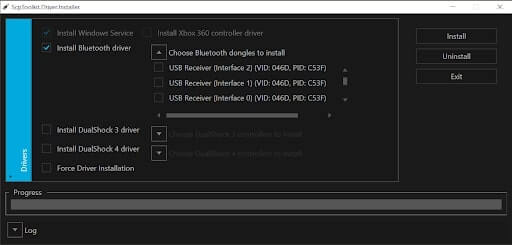
The tool uses many libraries and codes to maintain the reliability of the functions. After installing the necessary drivers, players will be able to fully control and customize the buttons on their ds3/ds4. GNU General Public License version 3.0 (GPLv3) offers a good level of security for the driver.
Simple Interface
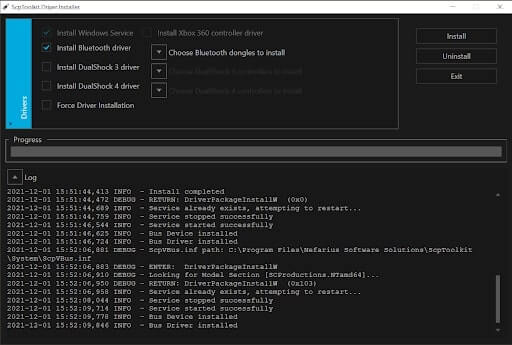
No extra gimmicks or flashy designs. The interface only showcases the very essential features and functions on a single page. The users can access the log history and driver settings without any trouble. Choose the right driver for you and enjoy a new gaming experience.
Perfect Companion for Dualshock Systems
The driver is specifically made for Sony Dualshock controllers and works flawlessly with versions 3 and 4. In addition to that, you can also use some third-party gaming controllers. Simply install your preferred driver, and your controller will work seamlessly, without any lag or problem.
Free for Everyone
The best feature of this tool is the open-source framework. Users can download and enjoy such a unique driver without any cost. They can also customize the codes and settings anytime. So, play and overcome any obstacle without any worry.
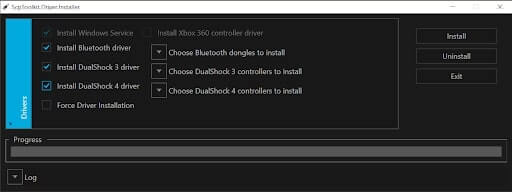
System Requirements for ScpToolkit
- Any Windows operating systems starting from 7.
- The latest version of Microsoft .NET Framework
- Microsoft Visual C++ package is a prerequisite for the driver to run.
- The PC needs Microsoft Visual C++ 2013 Runtime to operate the tool.
- Another essential software is DirectX Runtime.
- The PC needs Xbox 360 Controller driver to support the tool.
- A Sony DualShock 3/4 controller is necessary to install the drivers.
FAQ’s About ScpToolkit
Is ScpToolkit a virus?
Absolutely not, so anyone can download it without any trouble. You can download it directly from a verified source and can be sure that it has no malware. Don’t trust unverified sites for download.
What is ScpToolkit used for?
ScpToolkit is used for connecting Dualshock controllers on the Desktop. If you are looking for a way to use your Dualshock device on your PC, then this toolkit must be installed for the control to work. It has all the necessary drivers to run the controller on PCs
How do I get rid of ScpToolkit?
It’s really easy to uninstall or get rid of ScpToolkit. First, you need to visit your PC’s Control Panel. From there, look for the Program And Features option to get the list of all the apps installed on your PC. From that list, search for ScpToolkit and click on it, and then you will find uninstall button top left corner. Click on it and follow the instructions to uninstall ScpToolkit from your Device.
How do I connect ps3 controller to the PC?
Install the ps3 controller driver with ScpToolkit. Then join the controller with your PC. If you do this, your controller will connect to your PC flawlessly and you can run it without any hassle.
Conclusion
ScpToolkit is an awesome driver for those who want to use their PlayStation gamepads on their desktop. With seamless connection and tons of functions, users will have no complaints. So, download and enjoy some gaming action now!
Our Usage
This tool is really helpful when it comes to connecting the PS3 with the computer. In our leisure, sometimes we play old PS3 games. In that time we use this awesome tool to connect the PS3 with our PC. If you also have a PS3 then you must install and use this awesome tool in order to connect your PS3 emulator without any issues.
 Your Boyfriend Game
 Road Rash
 Keyran
 ReShade
 Metal Slug
 Minecraft Optifabric